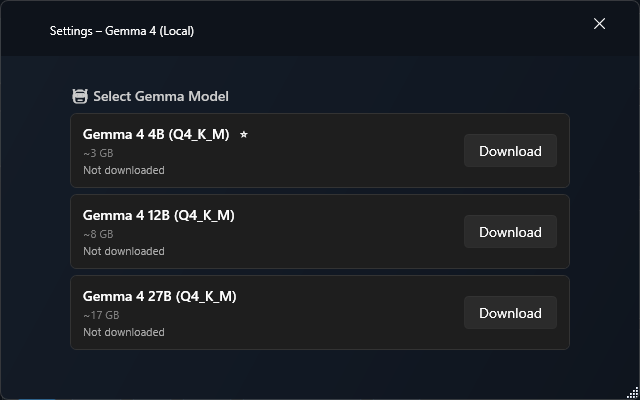
Gemma 4 (Local) adds a local LLM provider to TypeWhisper for Windows. It runs GGUF model files through LLamaSharp and keeps prompt processing on the machine after the selected model has been downloaded and loaded.
Features
Local LLM prompt processing on Windows
Powered by LLamaSharp with CPU backend support
GGUF model downloads from Hugging Face
Download, load, unload, and cancel controls in the plugin settings
Previously selected downloaded models can be loaded automatically in the background
No API key required for the core local workflow
Available Models
Model
ID
Size
Status
Gemma 4 4B (Q4_K_M)
gemma4-4b-q4
~3 GB
Recommended
Gemma 4 12B (Q4_K_M)
gemma4-12b-q4
~8 GB
Available
Gemma 4 27B (Q4_K_M)
gemma4-27b-q4
~17 GB
Available
Configuration
Model - Choose which local Gemma model to download and load.
Download - Downloads the selected GGUF model file into the plugin data directory.
Load / Unload - Loads the downloaded model for prompt processing or releases it from memory.
Setup
Open TypeWhisper Settings > Integrations
Find the Gemma 4 (Local) plugin and open its settings
Choose a model, then download and load it
Select Gemma 4 (Local) as the LLM provider in your prompt workflow
Notes
Models are stored under the plugin data directory in Models/<model-id>/.
The current Windows implementation uses LLamaSharp with the CPU backend.
Larger models need substantially more disk space and memory than the recommended 4B model.