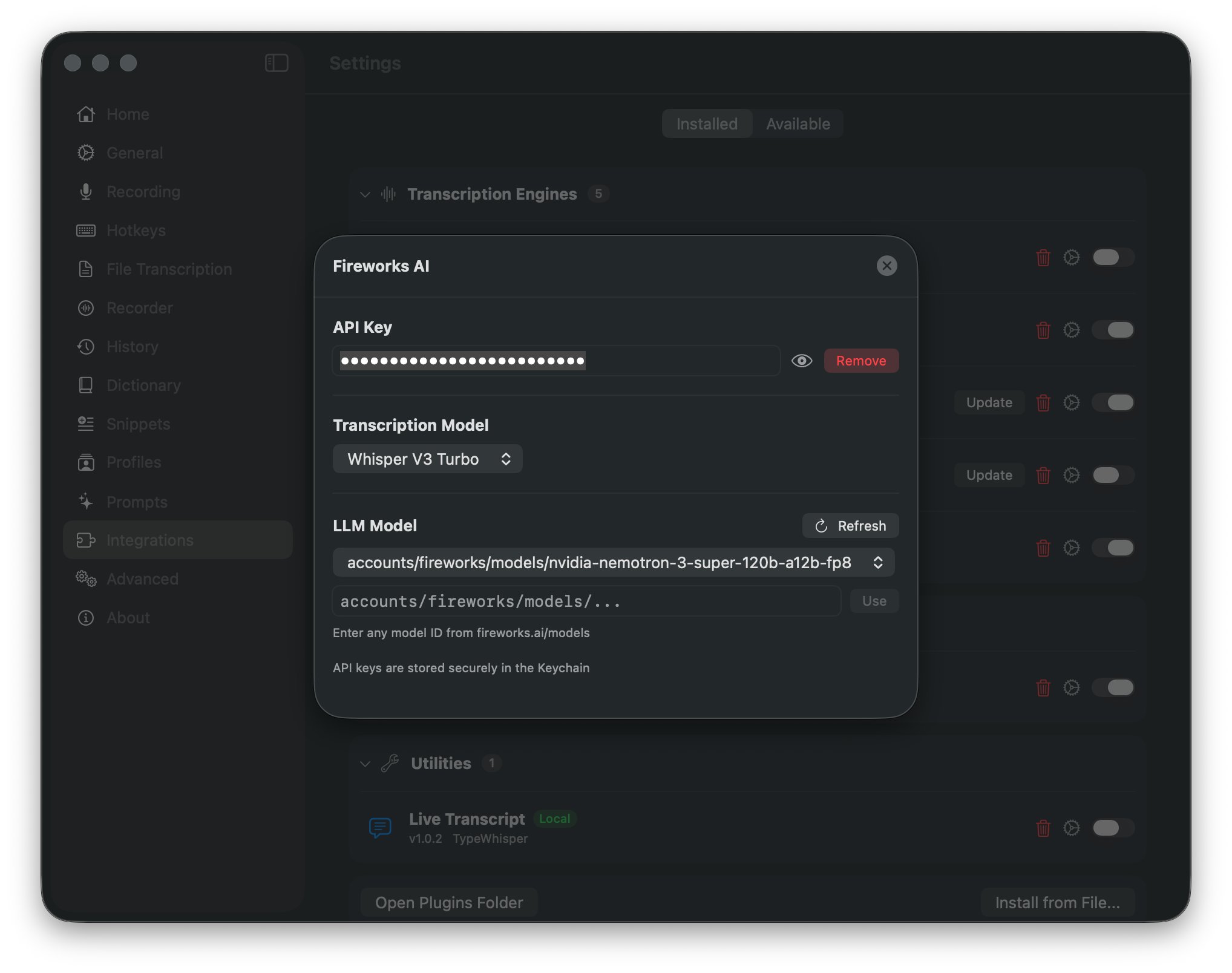
Store, validate, or remove the API key in macOS Keychain
Choose a transcription model and a freely specified Fireworks LLM model
Use the provider default or set a custom temperature
About
Fireworks AI is a cloud inference platform that delivers fast, production-grade model serving. Their platform hosts Whisper models for speech-to-text and a large catalog of open LLM models for text processing. Use Fireworks AI for high-speed cloud transcription with translation support, or as an LLM provider with access to hundreds of models.
Features
Whisper V3 and V3 Turbo transcription models
Large catalog of LLM models with dynamic refresh
Enter any model ID from fireworks.ai/models
Streaming transcription support
Translation support for 100+ languages
API keys stored securely in the macOS Keychain
Transcription Models
Model
ID
Whisper V3
whisper-v3
Whisper V3 Turbo
whisper-v3-turbo
LLM Models
Model
ID
DeepSeek V3p1
accounts/fireworks/models/deepseek-v3p1
Llama 3.3 70B
accounts/fireworks/models/llama-v3p3-70b-instruct
Llama 3.1 8B
accounts/fireworks/models/llama-v3p1-8b-instruct
Qwen 2.5 72B
accounts/fireworks/models/qwen2p5-72b-instruct
GPT-OSS 120B
accounts/fireworks/models/gpt-oss-120b
Kimi K2.5
accounts/fireworks/models/kimi-k2p5
Use the Refresh button to load the latest models from Fireworks AI. You can also enter any model ID from fireworks.ai/models directly.
Configuration
API Key - Sign up at fireworks.ai and generate an API key from the console. Your key is stored securely in the macOS Keychain.
Setup
Open TypeWhisper Settings > Integrations
Find the Fireworks AI plugin and click Configure
Enter your Fireworks AI API key
Select a transcription model or choose an LLM model
Select Fireworks AI as your transcription engine or LLM provider