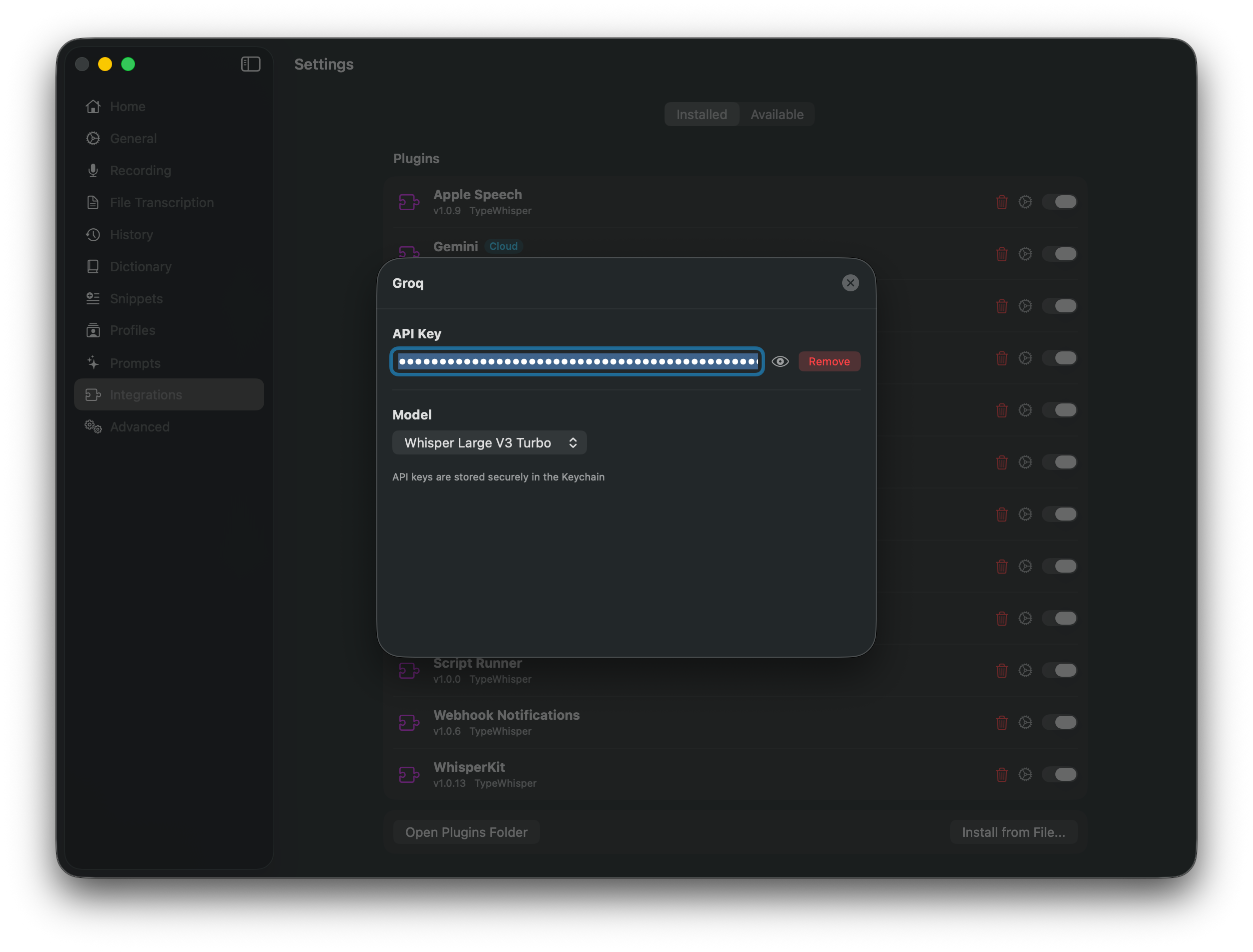
Store, validate, or remove the API key in macOS Keychain
Choose transcription and LLM models separately and refresh the catalog
Use the provider default or set a custom temperature
About this edition
Groq provides cloud transcription with Whisper models and LLM text processing through one API key. Select Groq for speech, workflow prompts, or both. Available models and usage limits depend on your Groq account.
Features
Cloud transcription with Whisper models
Multiple Whisper model variants
LLM processing with GPT-OSS models
Account-specific usage limits
OpenAI-compatible API
Transcription Models
Model
ID
Whisper Large V3
whisper-large-v3
Whisper Large V3 Turbo
whisper-large-v3-turbo
LLM Models
Model
ID
GPT-OSS 20B
openai/gpt-oss-20b
GPT-OSS 120B
openai/gpt-oss-120b
Refresh the model catalog in TypeWhisper to see the models available to your account. Check Groq’s deprecation notices when an older saved model stops working.
Configuration
API Key - Sign up at console.groq.com and generate a free API key.
Setup
Open TypeWhisper Settings > Integrations
Find the Groq plugin and click Configure
Enter your Groq API key
Select Groq as your transcription engine or LLM provider