


Platform editions
OpenAI / ChatGPT
Cloud transcription, OpenAI/ChatGPT prompts, and text-to-speech. Use an API key for STT/TTS or ChatGPT login for prompts.
Choose your platform
This add-on has separate macOS and Windows editions. Each page documents the features, settings, requirements, and screenshots for that platform.
macOS
v1.3.3
OpenAI for transcription, ChatGPT workflows, and text-to-speech with an API key or ChatGPT login.
- Cloud speech-to-text processing
- LLM provider for workflow prompts
- Text-to-speech output
- Real-time transcription while recording
Windows
v1.1.6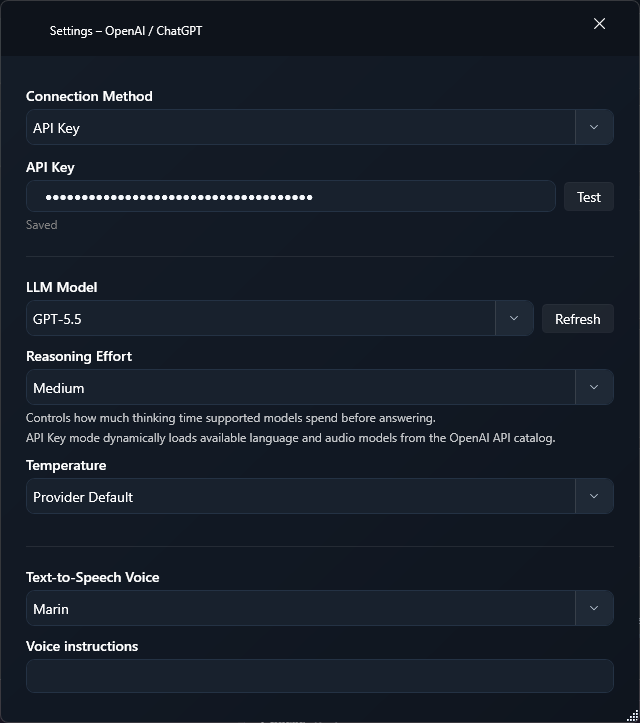
OpenAI for transcription, text processing, and text-to-speech. Transcription and speech need an API key; text processing can also use your ChatGPT login.
- Cloud transcription with GPT Transcribe, GPT Live Transcribe, Whisper 1, and the GPT-4o transcription models
- Live text while you speak with the realtime models GPT Live Transcribe and GPT Realtime Whisper
- Transcription context, language hints, and dictionary terms for GPT Transcribe and GPT Live Transcribe
- Translation into English with Whisper 1

