

All platform editions

Platform edition
OpenRouter for Windows
BundledOpenRouter for speech-to-text and LLMs with a dynamic model catalog, pricing, and balance.
- Version
- 1.1.1
- Plugin ID
- com.typewhisper.openrouter
- Requirements
- TypeWhisper 1.0.9 or newer · Windows 10 or newer
Inside this edition

Features in this edition
- Cloud speech-to-text processing
- LLM provider for workflow prompts
- Selection or refresh of available models
- Model pricing and remaining balance in settings
Settings in this edition
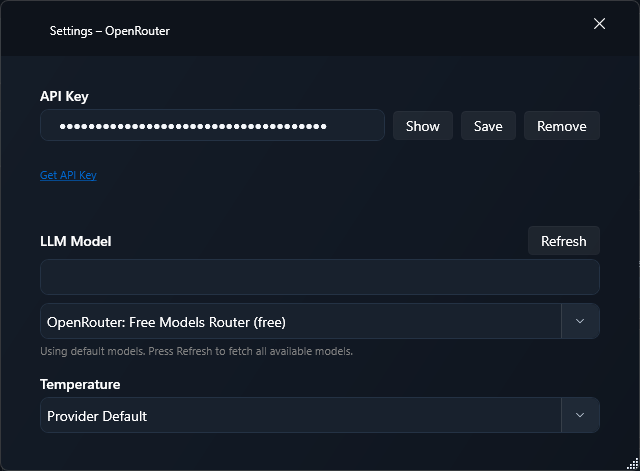
- Store and validate the API key in encrypted TypeWhisper for Windows settings
- Search transcription and LLM models, view pricing and balance, and set temperature
Guide for this edition
Set up the add-on and verify its platform-specific capabilities with a first practical workflow.
Roles in TypeWhisper
TranscriptionLLM
Setup
- 1Open Settings > Integrations. Install OpenRouter from Discover if it is not already listed under Installed, then enable it.
- 2Open the add-on settings and review the options available in this edition.
- 3Store and validate the API key in encrypted TypeWhisper for Windows settings
- 4Search transcription and LLM models, view pricing and balance, and set temperature
- 5Select OpenRouter as the transcription engine in general settings, a profile, or a workflow override.
- 6Select OpenRouter as the LLM provider for a workflow prompt or translation.
This edition uses a cloud provider. Depending on the capability, audio, text, or both are sent only after you configure and select that provider.