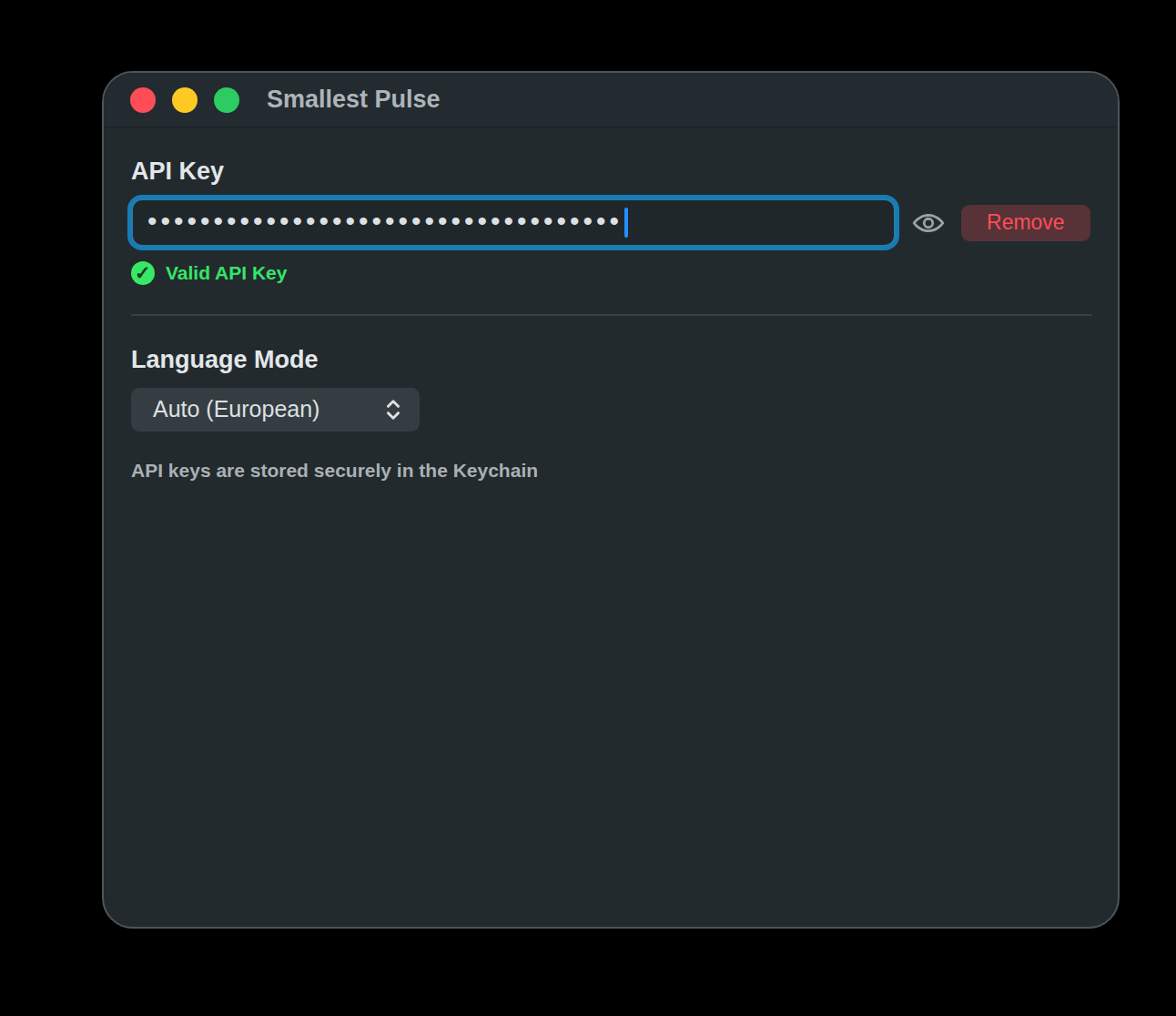
Store, validate, or remove the API key in macOS Keychain
Choose the language mode used for transcription
About
Smallest Pulse adds cloud speech-to-text to TypeWhisper through the Smallest AI Pulse STT API. Pulse is built for low-latency transcription and supports both fixed language codes and automatic language modes.
The plugin requires a Smallest API key. TypeWhisper stores the key through its plugin secret storage, while audio is sent to Smallest AI for transcription.
Word timestamps and segment parsing where the platform implementation exposes them
Secure API key storage through TypeWhisper plugin secrets
No translation support
Platform Behavior
Platform
Plugin ID
Behavior
macOS
com.typewhisper.smallest-pulse
Uses the pre-recorded Pulse HTTP endpoint for the initial implementation.
Windows
com.typewhisper.smallest-ai
Supports pre-recorded HTTPS transcription and WebSocket live streaming.
Language Modes
Use an explicit profile language when you know the spoken language. Smallest recommends setting the language parameter when possible because the model can optimize for that language directly.
Mode
ID
When to use it
Auto (European)
multi-eu
Unknown European-language audio.
Auto (Multilingual)
multi
Truly unknown or mixed multilingual audio.
Auto (Indic)
multi-indic
Unknown Indic-language audio.
Auto (Asian)
multi-asian
Unknown Asian-language audio.
Configuration
API Key - Create a Smallest API key and paste it into the plugin settings.
Language Mode - Select the automatic language mode used when the profile does not provide a more specific language.
Remove - Clears the stored API key from TypeWhisper.
Setup
Create a Smallest AI account and generate an API key.
Open TypeWhisper Settings > Integrations.
Find Smallest Pulse and click Configure.
Enter the API key and wait for validation.
Choose a language mode.
Select Smallest Pulse as your transcription engine in Settings or in a profile.