

Speak once.
Keep writing everywhere.
Dictate into your apps and turn spoken thoughts into finished text. On your Mac or with providers you choose.
Version 1.8.2 for macOS 14 or later.
- Free and open source
- Runs on your device
- No account required
- Made in Germany
 Made in Germany
- 2.1k GitHub stars
- Known from

- Need it for work?Commercial license
Spoken, written
Talk the way you think. Finished text arrives.
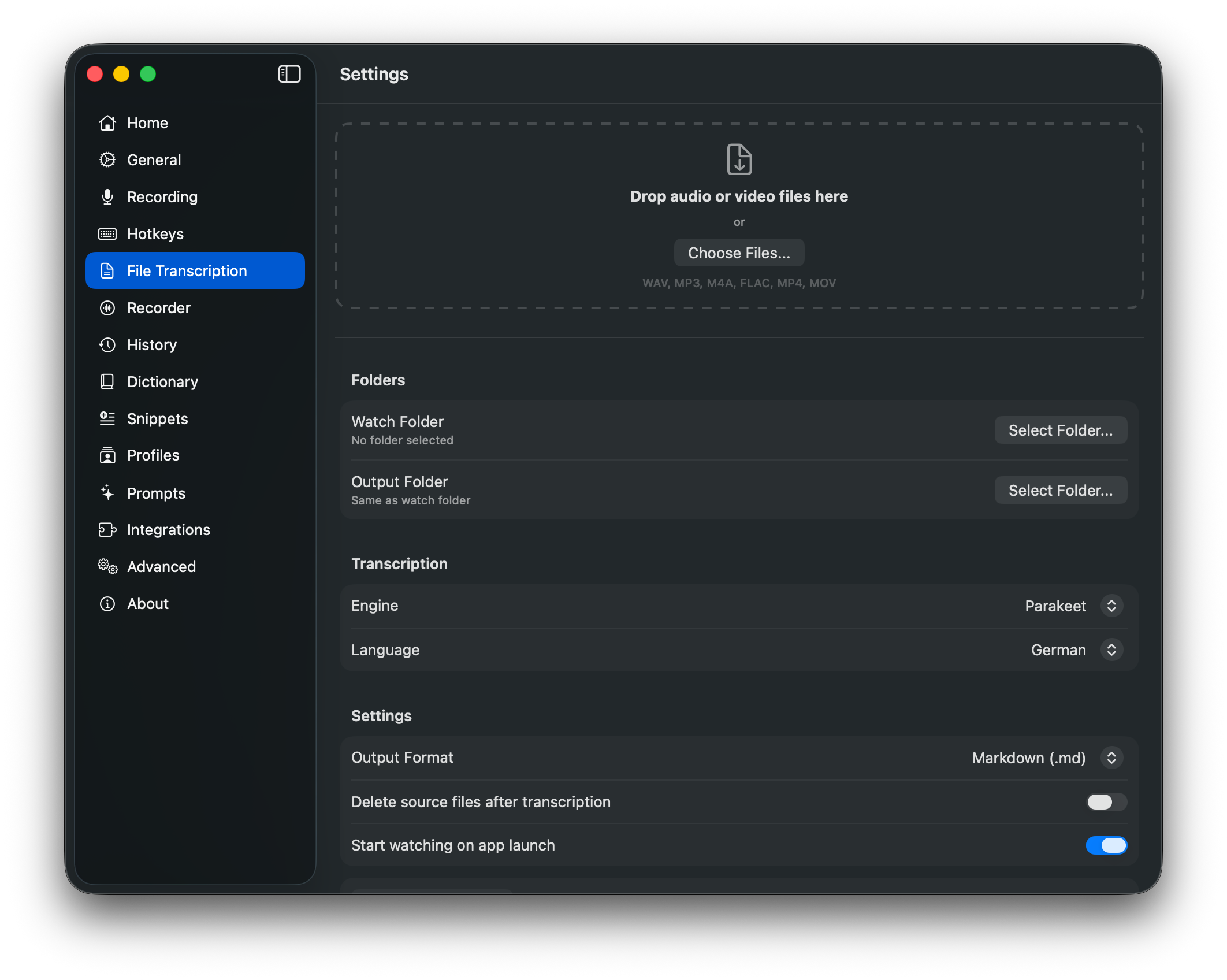
Three examples of what a workflow turns your dictation into. You decide how much it cleans up.
Email
You say
umhey sarah just wanted to say theuhthe new design is done andumcould you take a look before fridayTypeWhisper types
Hi Sarah, the new design is done. Could you take a look before Friday?
Chat
You say
uhcan we move standup to ten i have auhdentist appointment at nine thirtyTypeWhisper types
Can we move standup to 10? I have a dentist appointment at 9:30.
Note
You say
umnote for the meeting we still need feedback on the draft and I’ll send the final version on FridayTypeWhisper types
Meeting note
• Gather feedback on the draft
• Send the final version on Friday
Filler words removed, punctuation added
Screen recording
See it in action.
Why TypeWhisper
Dictation you can trust with real work.
TypeWhisper turns speech into finished text in any app, without sending your voice anywhere you did not choose.
Private by default.
Local speech engines run on your device. No telemetry, and cloud providers only after you add and select them yourself.
Works in every app.
Press a hotkey in Mail, Slack, your editor, or the browser. TypeWhisper types into the active text field, with rules per app or website.
Finished text, not raw transcripts.
Workflows remove filler words, fix punctuation, format notes, and translate, using the AI provider you choose.
Open and extensible.
Open source under GPLv3, with 56 add-ons for engines, AI providers, and tools, plus an SDK, local API, and CLI.
Features
Everything between your voice and the finished text.
Dictation, file transcription, workflows, meeting notes, and integrations in one native Mac app.
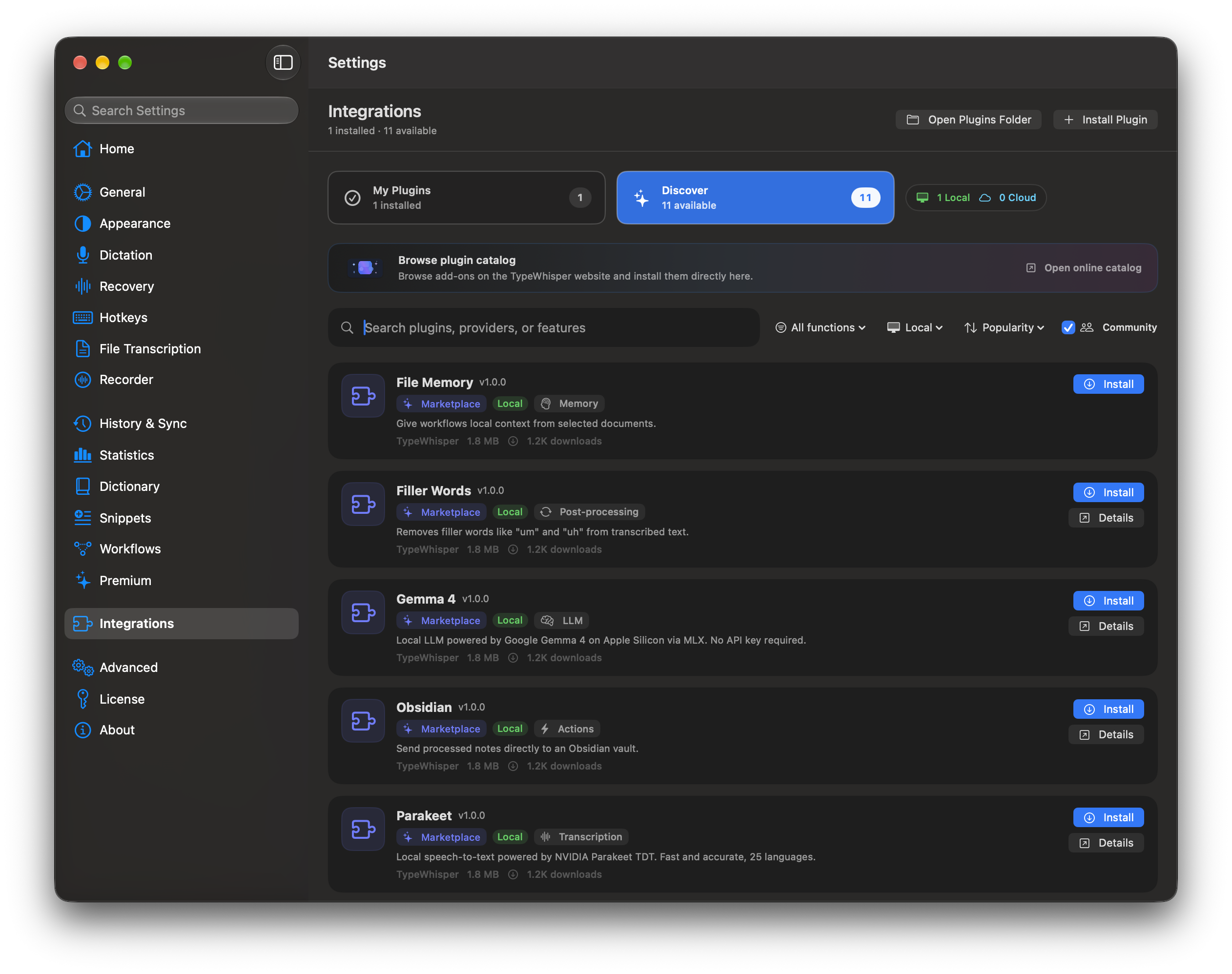
1 of 5
Local first, providers by choice.
Process speech with local engines and no telemetry. Cloud ASR and LLM providers are used only after you configure and select them.
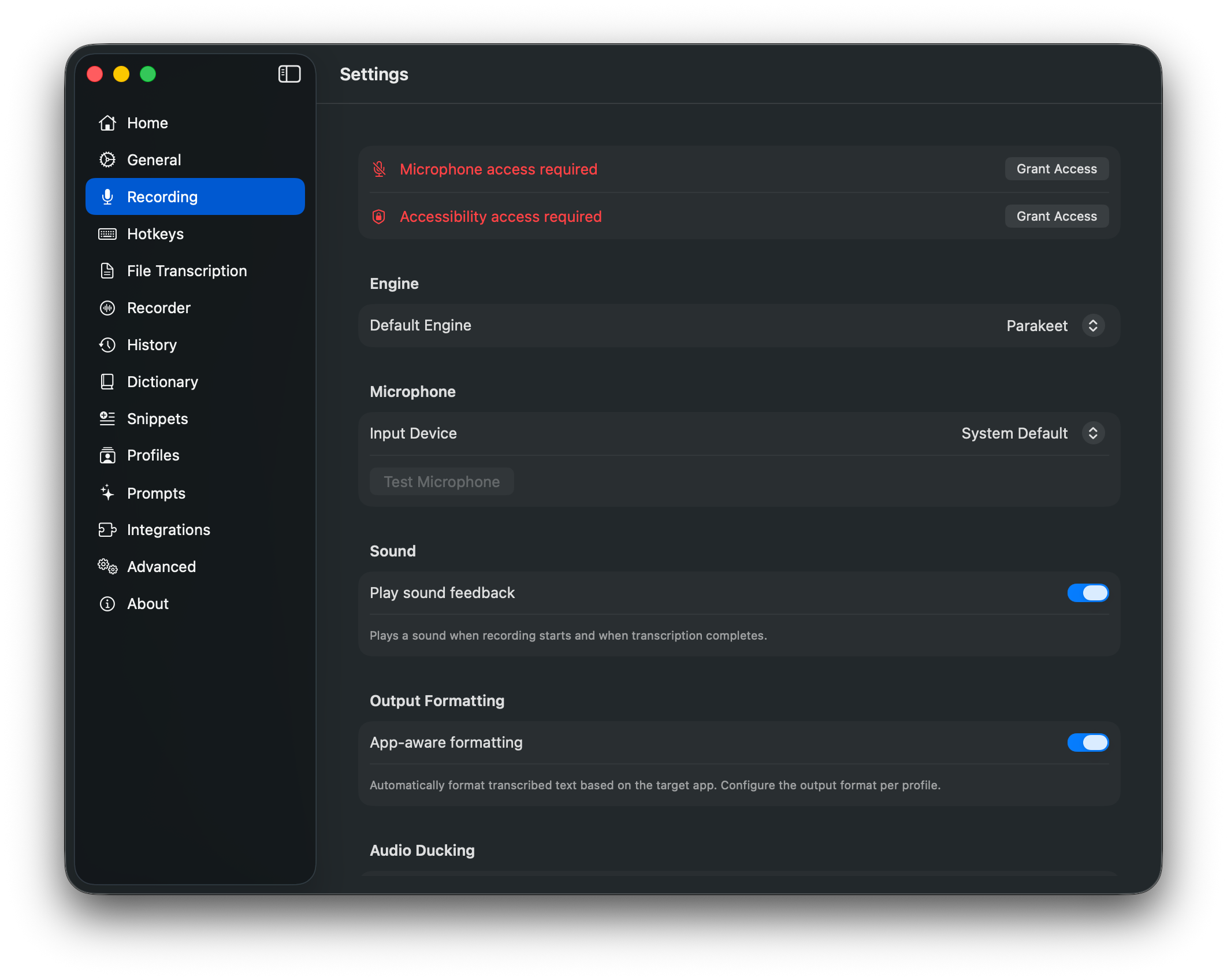
2 of 5
Fast, reliable capture.
Low startup latency, robust audio capture, live transcript updates, and a clear recording indicator for everyday dictation.
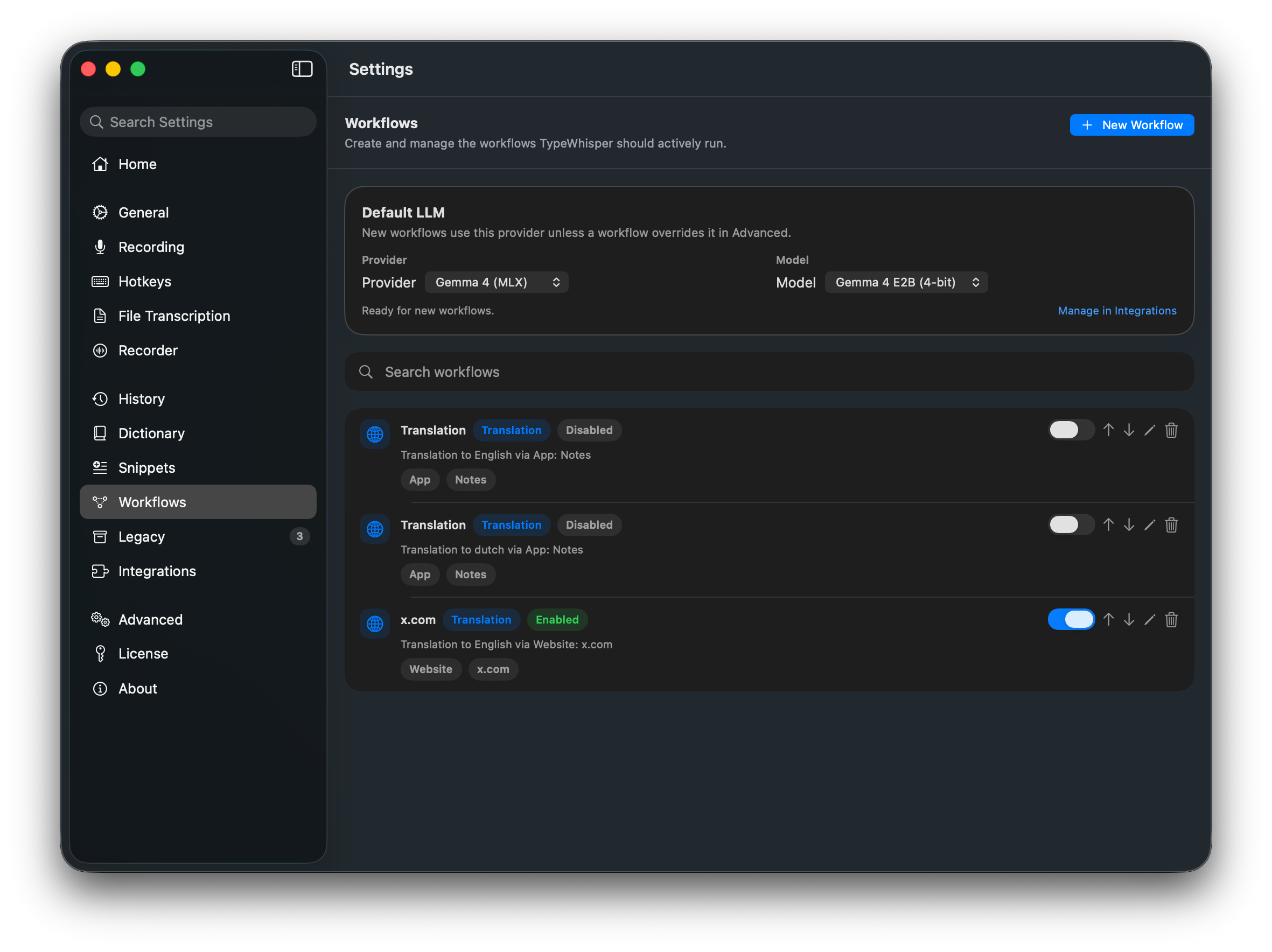
3 of 5
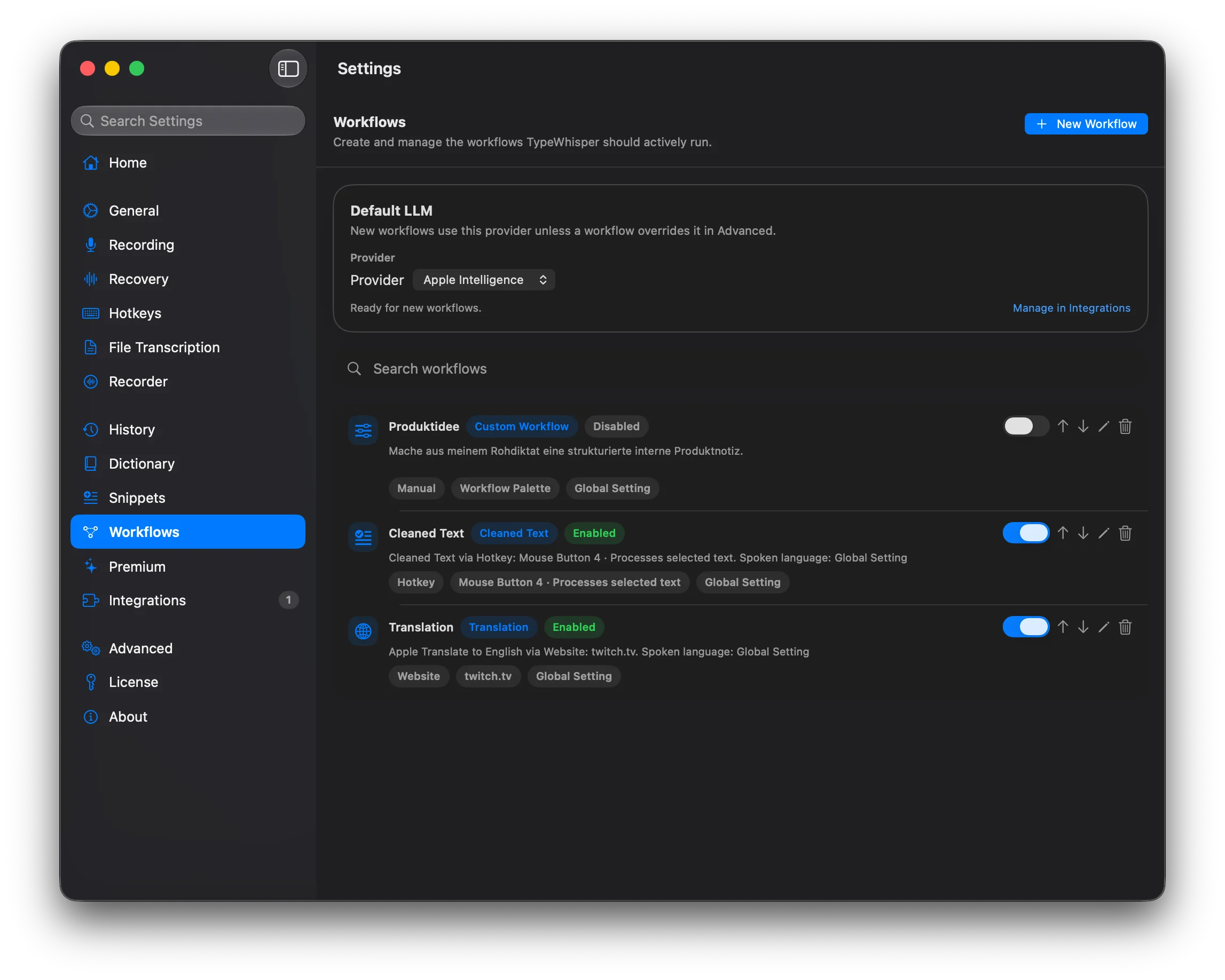
Workflows instead of cleanup.
Polish dictation, format meeting notes, translate text, or run follow-up steps through your own workflow rules.
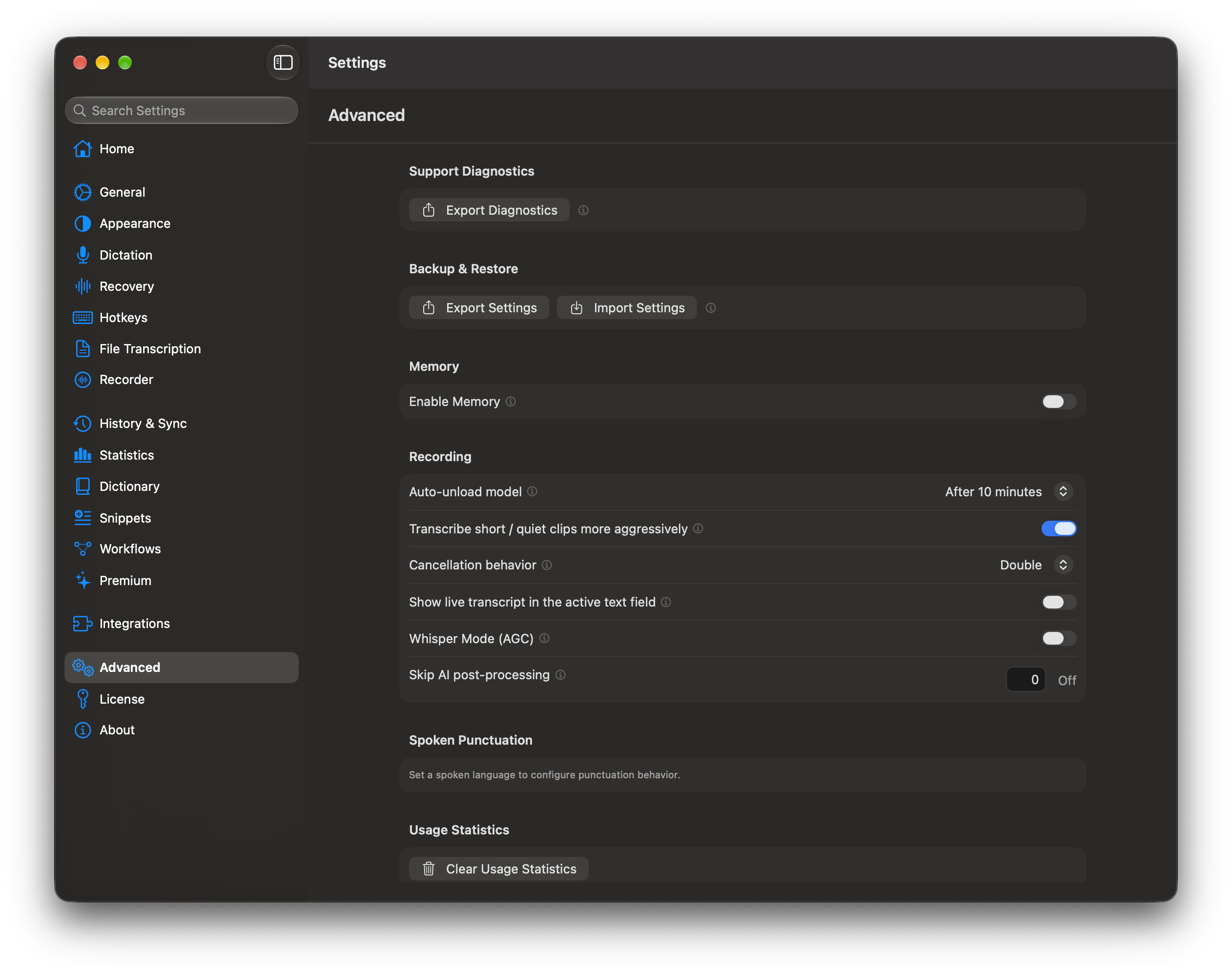
4 of 5
Integrations, backup, and CLI providers.
Manage add-ons and authenticated CLI providers centrally, and protect settings with Backup & Restore.
5 of 5
Files, history, and automation.
Transcribe audio and video, search results, and connect the recorder, dictionary, or workflows through local APIs.



Compare local engines
Choose your engine
Three local engines compared. Apple Speech is built in; WhisperKit, Parakeet, and further engines are installed as add-ons.
| Feature | WhisperKitVersatile | Parakeet TDT v3Fast | Apple SpeechAnalyzerZero Setup |
|---|---|---|---|
| Languages | 99+ | 25 European | System-dependent |
| Streaming | |||
| Translation | Via Apple Translate | Via Apple Translate | Via Apple Translate |
| Model Sizes | Tiny to Large v3 | 0.6B params | System-managed |
| Model Download | Manual in-app | Manual in-app | Automatic by macOS |
| Best For | Multilingual and translation | European languages | Quick setup |
Apple-optimized Whisper models. Best for multilingual use and streaming preview.
NVIDIA's latest TDT architecture. Extremely fast transcription for European languages with excellent accuracy.
Apple's native speech recognition. No manual model downloads - models are managed by macOS. Requires macOS 26+.
WhisperKit
VersatileApple-optimized Whisper models. Best for multilingual use and streaming preview.
Parakeet TDT v3
FastNVIDIA's latest TDT architecture. Extremely fast transcription for European languages with excellent accuracy.
Apple SpeechAnalyzer
Zero SetupApple's native speech recognition. No manual model downloads - models are managed by macOS. Requires macOS 26+.
Further local and cloud engines are available as add-ons.
Use cases
Made for the way you work.
From quick replies to professional dictation: see how TypeWhisper fits into everyday work.
- Dictate EmailsWrite emails 3x faster - just speak instead of typing. TypeWhisper transcribes your words and inserts them directly into your mail client.
- Slack & Teams ChatReply instantly in Slack, Teams, or Discord - speak your messages and TypeWhisper types them for you.
- Dictate CodeDictate code comments, documentation, and even simple code snippets. Ideal for developers with RSI or for faster documentation.
- Meeting NotesCapture meetings without opening your laptop. Dictate summaries, action items, and decisions right after the conversation.
- Legal DictationCreate raw drafts for case notes, pleadings, deadline lists, and client communication. The legal term pack supports vocabulary recognition, but it does not provide legal advice or legal review.
- Architecture DictationDictate site notes, defect lists, meeting minutes, and project emails with architecture vocabulary prepared. The term pack covers terms such as HOAI, bill of quantities, execution planning, and site supervision.
Add-ons
An open ecosystem.
56 add-ons for speech engines, AI providers, memory, and tools such as Obsidian and MCP. Or build your own with the SDK.
- WhisperKitLocal on-device transcription using WhisperKit with CoreML, optimized for Apple Silicon.
- ParakeetUltra-fast local transcription using NVIDIA's Parakeet TDT model, optimized for Apple Silicon.
- Whisper (Local)Offline Whisper transcription on Windows with whisper.cpp, on the CPU or on a graphics card with NVIDIA CUDA or Vulkan.
- Reson8Cloud transcription via the Reson8 speech-to-text API with real-time WebSocket streaming. Requires an API key.
- GroqUltra-fast cloud transcription and LLM processing powered by Groq's custom LPU hardware.
- OpenAI / ChatGPTCloud transcription, OpenAI/ChatGPT prompts, and text-to-speech. Use an API key for STT/TTS or ChatGPT login for prompts.
- ClaudeLLM processing via Anthropic's Claude API for custom prompts and text workflows.
- ObsidianSave TypeWhisper transcriptions as Markdown notes directly inside your Obsidian vault.
- MCP ClientConnect TypeWhisper workflows to MCP tools over stdio or Streamable HTTP and turn dictated or selected text into fixed actions.







Press
What people say.
“Listed among the 12 best AI apps for dictation.”
Read the article“If you regularly transcribe audio and value privacy, speed, and accuracy, TypeWhisper is worth installing immediately.”
All Things GeekRead the article “TypeWhisper emphasizes local processing, engine choice, open-source licensing, and user control.”
implicator.aiRead the article
Premium features
Cloud sync and a dictionary that learns.
Premium keeps your dictionary and snippets in sync, learns from your corrections, and adds Meeting Automation on macOS.
Sync Dictionary & Snippets
Sync dictionaries and snippets through your own iCloud Drive, Dropbox, OneDrive, Syncthing, or custom folder. On macOS, sync can also run automatically through iCloud and include History and Inbox.
- Keep the same dictionary on every desktop
- Your data stays in the storage you choose; sign-in only verifies Premium
- Use the cloud folder you already trust

Learn from Corrections
TypeWhisper can learn confident corrections after insertion, then apply them automatically the next time recurring words, names, or typos appear.
- Learns only from confident single-word edits
- Fixes repeated names, jargon, and misspellings
- Works alongside the existing dictionary pipeline

Premium features require an active Commercial license. Sync also requires signing in to your Premium account. The core app stays open source and local-first.
See Premium licensingPricing
Free core. Premium when you need it.
Core dictation stays free and open source. Commercial licenses unlock Premium sync, learning from corrections, and business-friendly terms.
- PersonalFreeSystem-wide dictation, local engines, workflows, add-ons, history, snippets, and APIs.
- Commercialfrom €5/monthUnlock Premium: Sync Dictionary & Snippets, Learn from Corrections, and commercial license terms.
- Supporterfrom €10one-timeLove the app? A one-time contribution supports open development.
Commercial licensing stays simple: monthly or lifetime, for individuals and teams.
See Premium pricingQuestions
Frequently asked questions.
Is TypeWhisper really free?
Yes. The core app is free and open source under GPLv3, including internal use at work. A Commercial license adds Premium features, non-GPL terms, and support.
See pricingDoes my voice leave my device?
Not with local engines: speech is processed on your Mac, PC, iPhone, iPad, or Android phone. Cloud speech and AI providers are only used after you configure and select them.
Which platforms are supported?
macOS 14 or later (version 1.8.2), Windows 10 and 11 (version 1.2.2), iPhone and iPad with iOS 18 or later (version 1.2.3), including an Apple Watch app, and Android 10 or later (version 1.0.0). Each edition is built natively for its platform.
Which languages does TypeWhisper understand?
That depends on the engine. Whisper-based engines recognize about 100 languages, Parakeet focuses on 25 European languages, and cloud providers add more. You can switch engines at any time.
Can I use TypeWhisper at work?
Yes. The GPL app may be used internally in companies. For non-GPL terms, support, and managed rollouts, Commercial licenses are available for individuals and teams.
TypeWhisper for teamsHow is it different from built-in dictation?
Built-in dictation types what you say. TypeWhisper lets you choose the engine, cleans up and formats text with workflows, applies rules per app, transcribes files, and keeps a searchable history.
Compare speech engines in the benchmarkReady for TypeWhisper?
Free for Mac, Windows, iPhone, iPad, and Android.
- Download for macOS: macOS1.8.2macOS 14 or later
- Install from Microsoft Store: Windows1.2.2Windows 10 and 11
- Download on the App Store: iOS1.2.3iOS 18 or later
- Get it on Google Play: Android1.0.0Android 10 or later
Free under GPLv3, including internal use of the GPL app. Commercial licenses for non-GPL terms and support start at 5 EUR/mo. See pricing