

Transcribe an audio or video file
Start file transcription
Choose a file from the Files picker or run the Transcribe Audio File action from Shortcuts.
Choose the profile
Select the language, engine, model, translation, and output treatment for this file.
Let TypeWhisper process it
Keep the app available while a local model loads or a selected cloud provider receives the file.
Review in History
Open the result to play available audio, compare raw and final text, copy, share, or apply another profile.
Use History as the source of truth
- Search past transcription text.
- Filter or browse entries by the device and capture source that created them.
- Open the detail view to inspect original and processed text.
- Append another recording, edit the result, or mark an Inbox item complete.
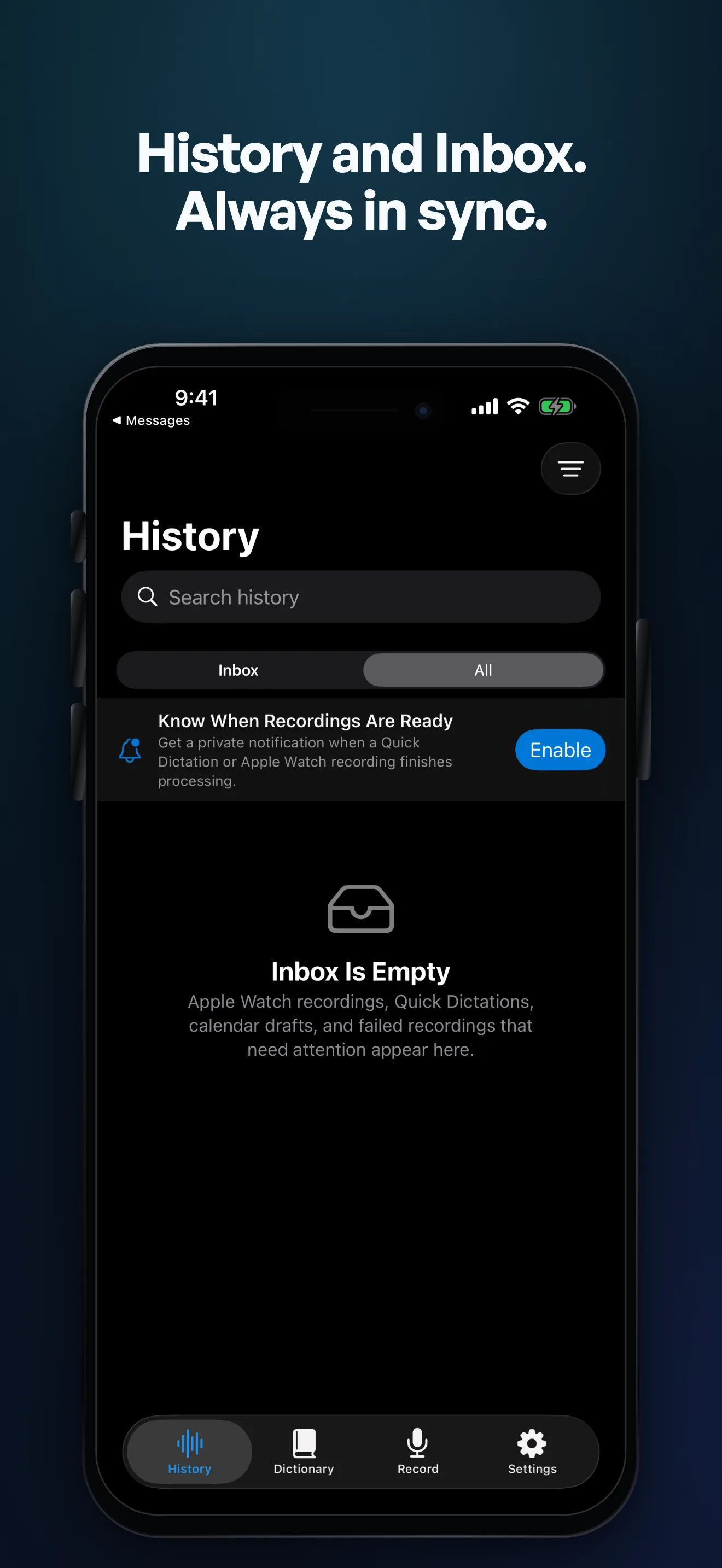
Work through Capture Inbox
Quick Dictations, Apple Watch recordings, calendar drafts, and failed captures that need attention appear in Inbox. A badge and optional private notification make new results visible without mixing them into an unfiltered list.
On iPad, the sidebar separates Inbox, all History, and device sources. Select an item to review it, fix a failed processing route, or mark it complete.
