

Features
A comprehensive overview of TypeWhisper's capabilities on macOS.
System-Wide Dictation
Use a global hotkey to start and stop recording from any app. Choose between push-to-talk (hold to record), toggle mode (press to start/stop), or modifier-key hotkeys. Transcribed text is automatically pasted into the active text field.
Streaming Preview
WhisperKit and Apple SpeechAnalyzer provide live partial results while you speak. With Parakeet and engines without native streaming, the overlay falls back to showing available text and current progress as soon as results arrive.
AI Workflows
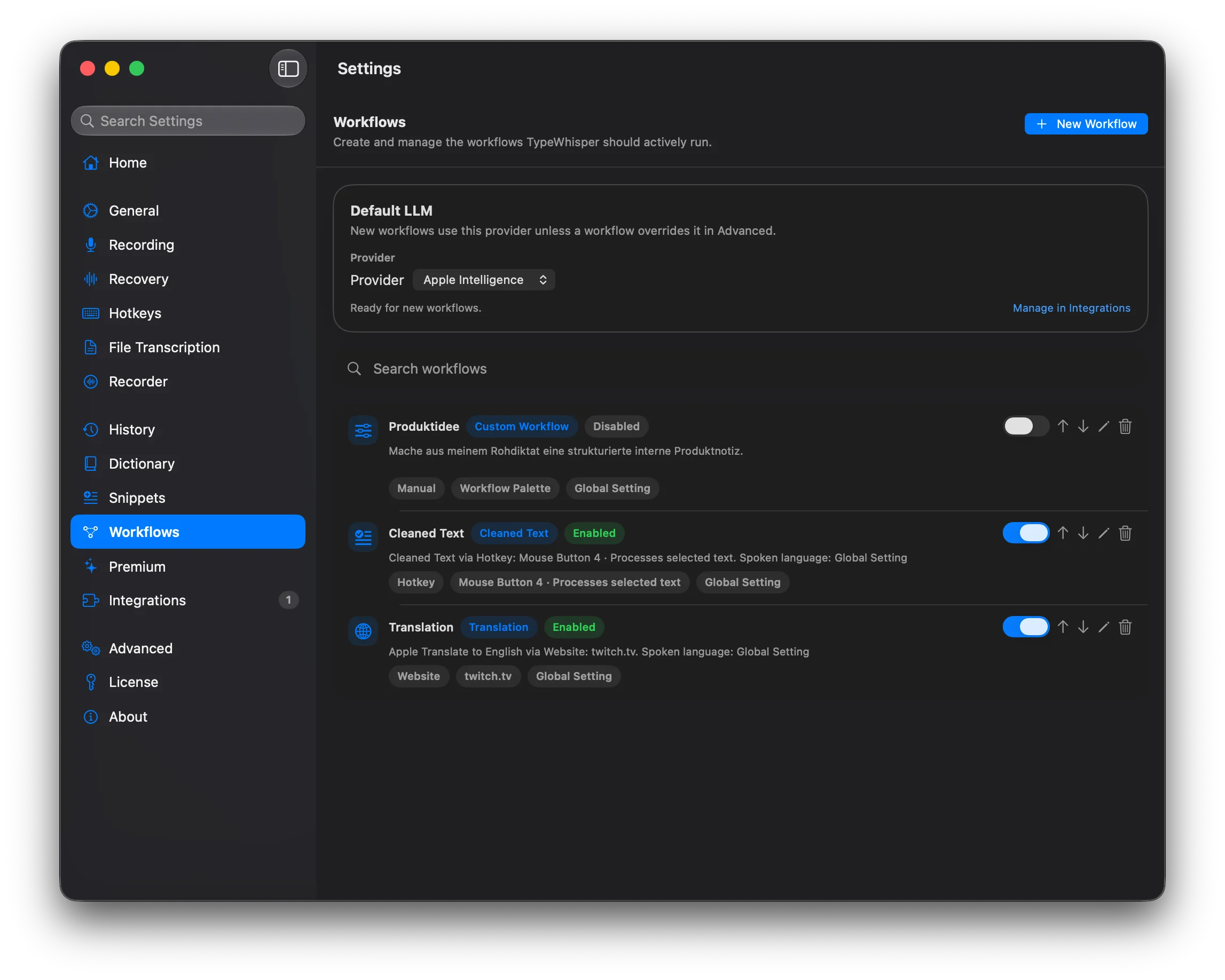
Process transcribed text through workflows before it gets pasted. TypeWhisper includes templates for translation, formatting, summarization, and app-specific cleanup.
Connect Apple Intelligence (on-device), Groq, OpenAI, Gemini, or another LLM integration, then arrange providers and optional models in one global fallback list. Workflows inherit that order by default; selecting an explicit workflow provider keeps that workflow on one strict provider call.
Learn how workflows work, how prompt instructions are applied, and what to check if nothing changes.
Dictionary
Teach TypeWhisper domain-specific vocabulary. Add custom terms, define corrections for commonly misrecognized words, and enable Premium > Automatic Correction Learning to build your personal dictionary over time. Import community term packs and use licensed industry packs for fields such as real estate, architecture, and legal drafting.
The dictionary has two parts: custom terms can be passed into transcription when the engine supports them, and dictionary corrections are applied automatically after transcription. You do not need to manually force the dictionary to run.
With Parakeet, custom terms can stay fully local. Enable vocabulary boosting and Parakeet will use those terms on-device during transcription, while post-transcription corrections still run automatically.
Vocabulary Boosting
Boosting controls how closely Parakeet's initial result must resemble a Dictionary Term before local vocabulary rescoring may use it. Lower thresholds are more aggressive and may catch wider variations; higher thresholds are more cautious and reduce false matches.
AutoRecommended starting point. Parakeet chooses a threshold automatically based on the number of active terms.Strong (0.50)The most aggressive preset. Use it when a distinctive name is still missed often. It increases recall, but can produce more false matches.Balanced (0.65)A more cautious middle setting. Try it if Strong replaces similar ordinary words.Precise (0.80)Requires a close match. Use it when the term resembles an ordinary word and avoiding false matches matters more than catching every variation.Advanced (0.40–0.95)Sets the threshold manually. Lower values are more aggressive; higher values are more cautious. Adjust it in small steps and repeat the same test sentence.
Example: For a name such as Kazumi, start with Auto. If Parakeet still misses it, try Strong. If Strong starts inserting Kazumi for similar ordinary words, move to Balanced or Precise.
These thresholds affect Parakeet only and require Enable Vocabulary Boosting in the Parakeet integration. Other engines may use Terms as hints but ignore the thresholds. Boosting does not train the base model and is separate from Dictionary Corrections, which still run after transcription.
Automatic Correction Learning
Automatic Correction Learning runs after TypeWhisper inserts dictated text into the target app; there is no separate per-workflow switch. TypeWhisper briefly watches the inserted text through macOS Accessibility. If you manually correct exactly one word and the diff is high-confidence, it saves a Dictionary Correction. Sentence rewrites, deletions, and ambiguous edits are skipped on purpose so TypeWhisper does not learn bad replacements.
When a correction is learned, TypeWhisper shows feedback such as Saved to Dictionary: “wrong” -> “right” with an Undo action. Learned entries can be reviewed in Dictionary > Auto-learned / Corrections. If no feedback appears, either nothing safe was learned or the target app did not expose the edited text reliably enough.
How to test it
Enable Automatic Correction Learning, dictate a short sentence into a normal text field, manually fix one misrecognized word, then press Return or Tab, send the message, or leave the field. Look for the learned-correction feedback and the Auto-learned dictionary entry.

Snippets
Define trigger phrases that expand into longer text blocks. Snippets support dynamic placeholders like {{DATE}}, {{TIME}}, and {{CLIPBOARD}} for automatic date, time, and clipboard insertion.

File Transcription
Drag and drop audio or video files to transcribe them in batch. Supports all common formats (MP3, WAV, M4A, MP4, MOV, and more). Export results as SRT or WebVTT subtitles with accurate timestamps.

Whisper Mode
Boost microphone gain for quiet speech or noisy environments. Toggle per-profile or globally in settings.
Translation
Apple Translate provides on-device translation between many language pairs. In Workflows, the Translation template can use Apple Translate on macOS 15+ or LLM Prompt mode for provider-based translation. WhisperKit can also translate speech from any supported language to English.
Transcription History
All transcriptions are saved locally with timestamps, the app they were dictated into, and which engine/model was used. Edit transcriptions inline and see correction detection highlighting what changed.
Filter by date, app, or engine. Group entries by timeline for a clear overview of your dictation activity. Select multiple entries for bulk delete or multi-format export. Open History as a standalone window for side-by-side reference while working.

Home Dashboard
The Home tab shows your usage statistics, an activity chart tracking dictation over time, and guided onboarding steps for new users. See at a glance how much time you have saved with voice input.

Integrations Hub
Extend TypeWhisper through the new Integrations hub with Installed, Discover, and Manual tabs, official and community plugins, hosting and capability filters, and downloaded local models managed in one place.
See the Add-ons Marketplace for available plugins.
